
Over 40 3-axis strategies
Roughing, rest machining and finishing on surfaces and molds, with QuickMill for an even, mark-free finish.

3-axis milling and turning
ZW3D 3x Machining combines the complete CAD with 2- to 3-axis CAM: over 40 strategies, QuickMill for even finishes, SmoothFlow adaptive feed and turning, with 4- and 5-axis milling and VoluMill as add-on modules.
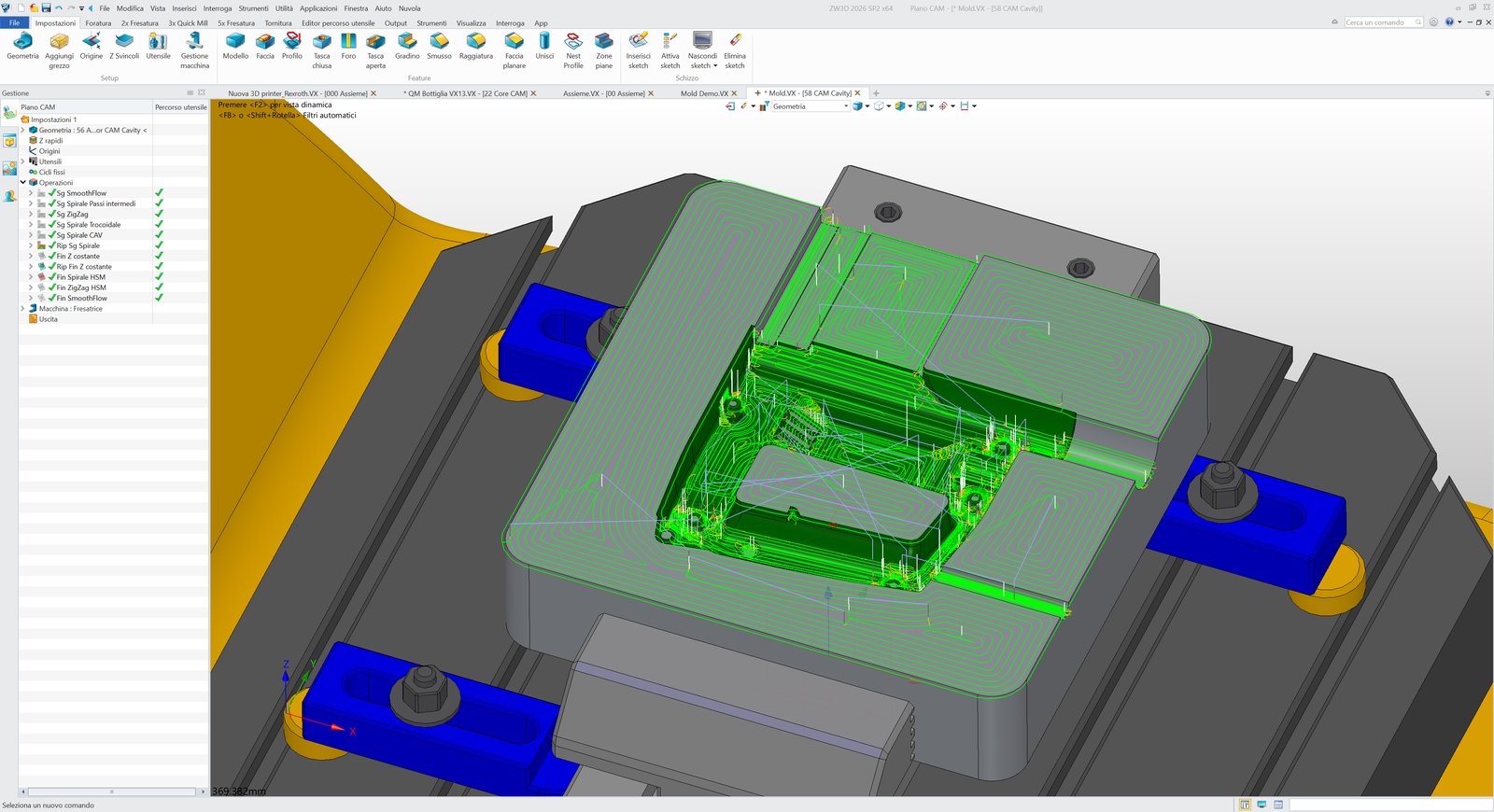
Roughing, rest machining and finishing on surfaces and molds, with QuickMill for an even, mark-free finish.
SmoothFlow adjusts the feed rate along the toolpath to protect the tool and shorten cycle times.
Hybrid modelling, surfaces, assemblies and direct editing to prepare models, fixtures and electrodes.
Toolpaths follow the changes to the model, are fine-tuned with the editor and checked with solid verification.
Mold makers, tool makers and machine shops that machine complex shapes: ZW3D 3x Machining programs everything, from the prismatic part to the mold, with the CAD to prepare the model in the same program.
With VoluMill roughing becomes up to 5 times faster, and with the 4- and 5-axis module you can also machine the most complex parts.
Purchased separately, when you need them.
SPP turns ZW3D toolpaths into the G-code of your controller, and SPC simulates it on your machine before the first chip.
Discover SPC →Automotive parts and data exchange
High-quality import and export of Catia, NX and the other common formats, with minimal training costs.
Discover this edition →Consumer goods and design
Skeleton and top-down modelling, G3 surfaces, simulation and photorealistic rendering.
Discover this edition →Molds
From mold design to machining: analysis, parting, mold bases, standard parts and direct editing.
Discover this edition →Industrial machinery and equipment
Components, assemblies, structural analysis and 2D drawings, with modules for sheet metal, structures, piping and wiring.
Discover this edition →2-axis CNC machining
2- and 2.5-axis milling and turning: recognises holes, slots and steps and generates drilling cycles and milling toolpaths in a few steps.
Discover this edition →All CAD and CAM functions
The complete CAD of Advanced, with molds, sheet metal, piping and wiring, and the CAM of 3x Machining. 4- and 5-axis milling is added as a module.
Discover this edition →The complete feature table of every edition of ZW3D 2027 WuKong.
Download ZW3D 2027 WuKong and try it free for 30 days. Not sure which edition to choose? Tell us what you design and what you machine: we'll recommend the right one.